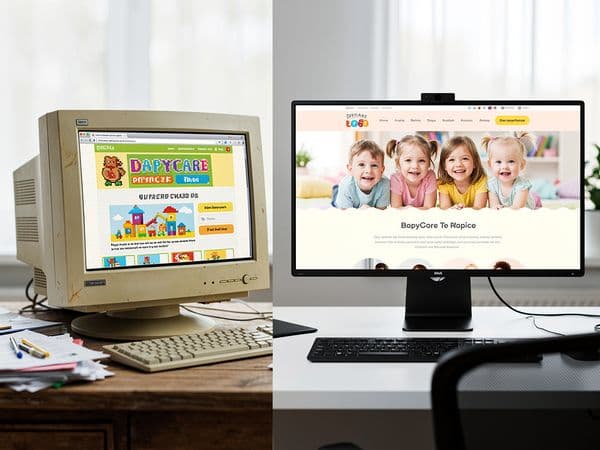
7 Hidden Costs of Cheap Daycare Websites That Come Back to Bite You
Discover the hidden costs of budget daycare websites — from lost enrollment to emergency redesigns. Learn what expensive mistakes to avoid.

7 Hidden Costs of Cheap Daycare Websites That Come Back to Bite You
You have spent thousands of dollars licensing your facility, buying toys, setting up safety protocols, and training your staff. When it comes to your website, the temptation to save money is overwhelming. You see advertisements promising a professional daycare website for $499, or a freelancer willing to build it for the price of a weekend dinner.
It makes sense to look for a bargain. Running a childcare business is capital-intensive, and every dollar counts. However, in the digital world, "cheap" often means "expensive later."
A low-quality website is not just a digital brochure; it is your 24/7 enrollment engine. When that engine sputters, your revenue stops. We have seen too many daycare directors come to us in a panic because their $500 website failed to generate leads, got hacked, or resulted in a lawsuit over image rights.
Before you sign on the dotted line for a budget build, you need to understand the true price tag. Here are seven hidden costs of cheap daycare websites that can cost you far more than a professional investment from the start.
The True Price of "Cheap"
Let’s set the scene. You hire a budget developer. The site launches quickly. It looks fine on your laptop. But six months later, you are struggling to fill spots. You assume it is a marketing problem, but the issue is the tool you are using to sell your services.
A $500 website often lacks the foundational architecture required for growth. It might not be built on a secure platform, it might not load fast enough for Google, and it might not convert visitors into parents.
Consider the average value of a child in your center. Depending on your location and care type, the lifetime value of one enrolled child can range from $15,000 to $45,000. If your website fails to capture even two parents because of technical glitches, you have lost $30,000 in revenue. That loss dwarfs the $500 you saved on the initial build.
When we talk about hidden costs, we aren't just talking about the price of fixing the site. We are talking about the opportunity cost of lost families, the time you spend fixing broken links, and the legal fees that arise from non-compliance. Let’s break down where these costs hide.
Hidden Cost #1: Lost Enrollment From Slow Load Times
Speed is not a luxury; it is a requirement for modern web traffic. Google has made it clear that page speed is a ranking factor, but more importantly, parents are impatient.
Research shows that if a page takes longer than 3 seconds to load, 53% of mobile visitors will leave before it even finishes loading. For a daycare website, that means parents looking for "daycare near me" will click your link, wait for the logo to spin, and immediately hit the back button to try your competitor.
The Cost Breakdown:
* Average Conversion Rate: A healthy daycare website converts about 3% of visitors into leads. * The Slow Site Penalty: A slow site might drop that to 1%. * The Math: If 1,000 parents visit your site: * Fast Site: 30 leads. * Slow Site: 10 leads. * Lost Revenue: 20 leads x 50% enrollment rate x $2,000 tuition/month = $20,000 potential revenue loss per month.Optimizing a site for speed requires proper coding, image compression, and quality hosting. Budget sites often use bloated themes that clog up the browser, leading to immediate revenue leakage.
Hidden Cost #2: Mobile Breakage on New Phones
More than 75% of parents will search for childcare services on their smartphones. Your website must be "mobile-first," meaning it is designed for a phone screen before it is designed for a desktop monitor.
Cheap templates are often rigid. They might look okay on an iPhone 12, but when a parent pulls out their new foldable phone or an older Android, the layout breaks. Buttons overlap text, images stretch awkwardly, or the "Call Us" button disappears entirely.
The Frustration Factor:
Imagine a parent searching late at night when they need emergency backup care. They land on your site. They try to click the phone number, but it doesn't register because the touch target is too small. They leave.Fixing responsive design issues after a site is built is expensive. Developers charge by the hour, and debugging CSS for multiple devices can take 10 to 20 hours. At an agency rate of $100/hour, that is $1,000 to $2,000 in fixes just to make your site usable on a phone.
Hidden Cost #3: SEO Invisibility (Google Can't Find You)
You can have the most beautiful website in the world, but if Google cannot read it, it does not exist. Search Engine Optimization (SEO) is about structure. It is about telling Google exactly what your business is and where it is located.
Budget websites often miss critical SEO elements: * Missing Schema Markup: This is code that tells Google "This is a childcare center located at [Address]." Without it, you won't appear in the "Local Pack" (the map results). * Poor Heading Structure: If your H1 tags are all "Welcome to Our Page" instead of "Daycare Services in [City]," Google gets confused. * No Sitemap: If Google can't crawl your pages, they don't get indexed.
The Cost of Being Invisible:
To fix SEO issues on a poorly built site, you often have to rebuild the site structure. If you decide to run Google Ads to bypass the problem, you might pay $5 to $15 per click for "daycare" keywords. If you get 100 clicks a month, that is $500 to $1,500 a month in ad spend just to get traffic that a good website should have generated organically.Hidden Cost #4: Security Vulnerabilities
Daycares handle sensitive data. You collect birth dates, emergency contact numbers, medical information, and payment details. This makes your website a prime target for hackers.
Cheap hosting and outdated software (like old versions of WordPress) are security nightmares. A hacked website can lead to:
- Data Breaches: Compromised parent data can lead to lawsuits.
- Defacement: Hackers replacing your homepage with spam or malware warnings.
- Blacklisting: Google blacklisting your domain, warning parents that your site is unsafe.
The Cleanup Bill:
Restoring a hacked site is not free. Professional malware removal services charge between $500 and $2,500 per incident. If your domain gets blacklisted, it may take weeks to get delisted, during which your enrollment funnel is completely severed. Furthermore, if you are found negligent in protecting parent data, legal fees can skyrocket into the tens of thousands.Hidden Cost #5: Stock Photo Licensing Traps
This is a trap that catches many small business owners. You see a beautiful photo of smiling children on a budget website template, and you think, "Perfect, let's use that."
However, that image might be copyrighted. If you use an image without a commercial license, you can be sued. Companies like Getty Images actively scan the web for unlicensed usage.
The Price of a Photo:
The settlement for a single unlicensed image can range from $750 to $5,000. A budget website might use 10 or 15 stock images. If one of them is flagged, you could face a demand letter for $10,000+.A professional agency will provide properly licensed images or guide you to free resources like Unsplash that allow commercial use. We never recommend taking the risk with "free" images found via a Google search.
Hidden Cost #6: Domain and Hosting Renewal Surprises
Have you ever seen a domain registration for $0.99? It sounds like a steal, but the renewal price is often $50 to $100. Budget providers lure you in with low introductory rates, then jack up the price after the first year.
Even worse is the issue of ownership. Some "cheap" builders keep the domain and hosting in their own name, not yours. They act as a middleman, charging you monthly for a service that should be yours. If you decide to leave them, they can hold your website hostage, demanding thousands of dollars to transfer the files.
The Renewal Shock:
* Budget Provider Year 1: $200/year (Hosting + Domain). * Budget Provider Year 2: $800/year (Renewal rate hike). * Professional Hosting: $300/year (Stable pricing).Over five years, this adds up to thousands of dollars in unnecessary fees. Additionally, cheap hosting often comes with no support. When your site goes down on a Friday night, you are left waiting for a support ticket to be answered Monday morning.
Hidden Cost #7: The Emergency Redesign
Eventually, you will outgrow your cheap website. Maybe you need to add an online portal for parents, or integrate a payment system. Maybe you just want a site that looks professional enough to charge premium tuition.
When you try to upgrade a cheap site, you often find you cannot. The code is too messy. The platform is too restrictive. You have to scrap it entirely and start over. This is the Emergency Redesign.
The Cost of Starting Over:
* Fixing a Bad Site: $3,000 - $5,000 to attempt a patch-up. * Building a New Site: $3,000 - $10,000 (Standard professional build).If you pay $500 initially, spend $4,000 fixing it, and then pay $8,000 to replace it, you have spent $12,500 in three years. If you had invested $8,000 initially in a robust site, you would be done. The "cheap" option cost you $4,500 more in the long run.
The Real Math: Cheap Now vs Right the First Time
It is time to look at the numbers objectively. Below is a comparison of the total cost of ownership over a three-year period for a budget build versus a professional build.
| Expense Category | Budget Website ($500 Initial) | Professional Website ($8,000 Initial) | | :--- | :--- | :--- | | Initial Build | $500 | $8,000 | | Annual Hosting (3 Years) | $2,400 ($800/yr) | $900 ($300/yr) | | Security Cleanup (1 incident) | $1,500 | $0 | | SEO Fixes / Migration | $2,000 | $0 | | Emergency Redesign | $7,000 | $0 | | Lost Enrollment (Est.) | $15,000 | $0 | | Total 3-Year Cost | $28,400 | $8,900 |
As you can see, the "budget" option is nearly four times more expensive over three years when you factor in lost revenue and necessary repairs. The professional investment locks in your costs and secures your revenue stream from day one.
Conclusion
Your daycare website is the front door to your business. You would never put a flimsy, unlocked door on your facility, even if it was free. Why would you do the same for your digital front door?
Investing in a quality website protects your enrollment, secures your data, and builds trust with parents immediately. It saves you time, money, and headaches in the long run. When you are ready to make that investment, you need to know exactly what to expect financially.
For a detailed breakdown of what a quality website actually costs in the current market, read our guide on daycare website cost breakdown →.
And once you have the site, ensure it builds confidence. Learn how to make a daycare website trustworthy → to convert those visitors into enrolled families.
Don't let hidden costs bite you. Build it right the first time.
Ready to Transform Your Daycare Website?
Get a free sample homepage designed specifically for your daycare. No upfront cost, no pressure.
Get Your Free Sample