Daycare Website Must-Haves for 2026: The Complete Checklist
Everything your daycare website needs in 2026 to convert visitors into enrollments. Mobile-first design, parent portals, and 20 essential elements.
Daycare Website Must-Haves for 2026
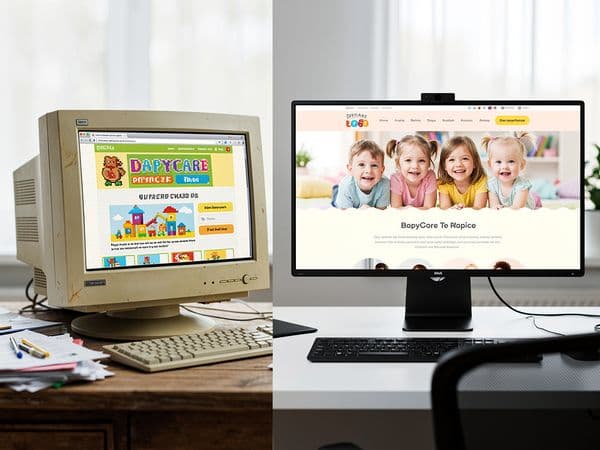
The bar for daycare websites keeps rising. What impressed parents in 2020 feels dated in 2026. Mobile expectations have intensified, attention spans have shrunk, and the competition has stepped up their game.
This guide covers the 20 elements your daycare website must have in 2026 to stay competitive and convert visitors into enrollments.
What Changed in 2025-2026
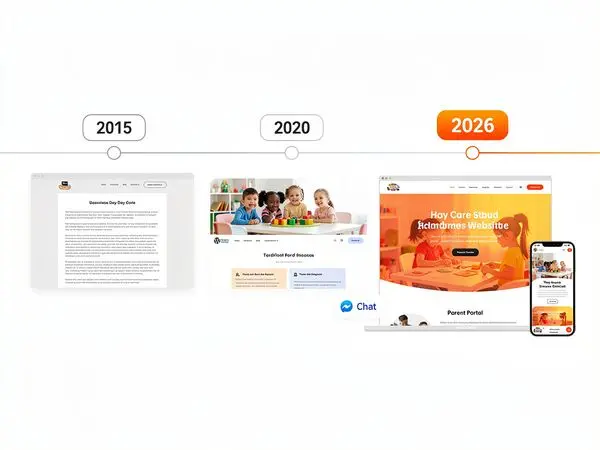
The past two years brought significant shifts in parent expectations:
Mobile Became Non-Negotiable
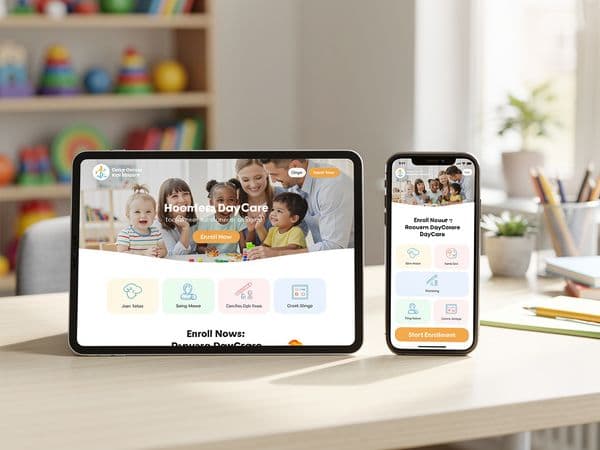
In 2024, mobile-friendly was a nice-to-have. In 2026, it's table stakes. Over 70% of parents now browse exclusively on mobile devices during their initial daycare search. If your site doesn't work flawlessly on phones, you're invisible to the majority of your market.
Speed Expectations Intensified
Parents in 2026 have zero patience for slow websites. Pages must load in under 2 seconds or visitors leave. Every additional second of load time costs you potential enrollments.
Trust Signals Evolved
Generic testimonials don't cut it anymore. Parents expect video testimonials, Google Review integrations, and specific stories. They want social proof that feels real and verifiable.
Online Scheduling Became Standard
Parents used to call to schedule tours. Now they expect to book online—often at 10 PM after the kids are asleep. Tour scheduling software isn't a differentiator; it's an expectation.
Parent Portals Entered the Picture
While not universal, parent portals are becoming a competitive advantage. Centers that offer online payment, daily updates, and document access win points with tech-savvy parents.
AI and Chatbot Expectations
Parents are increasingly comfortable with chatbots for initial questions. A well-designed chatbot can answer basic questions 24/7, qualifying leads while your team sleeps.
Must-Have #1: Mobile-First Design
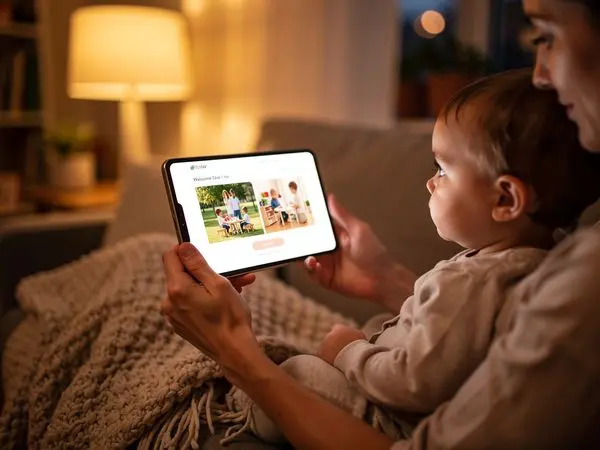
"Mobile-friendly" isn't enough. In 2026, your site must be designed for mobile first, then scaled up to desktop.
What Mobile-First Means
- Touch targets are large (minimum 44x44 pixels)
- Text is readable without zooming (minimum 16px body text)
- Navigation is simplified (hamburger menu acceptable and expected)
- No horizontal scrolling (everything fits the viewport)
- Forms work with auto-fill (autocomplete attributes properly set)
- Click-to-call phone numbers (tap to dial)
- Images resize appropriately (no massive downloads)
The Mobile Test
Open your site on your phone. Try to:
- Find your phone number and call it (one tap)
- Find your address and get directions (one tap)
- Find your hours (within 5 seconds)
- Submit a tour request form (without zooming)
- View photos without pinching
- Navigate to your Programs page
If any of these are difficult, your mobile experience needs work.
Common Mobile Mistakes
- Tiny text that requires zooming
- Buttons too close together (fat-finger errors)
- Forms that don't work with mobile keyboards
- Pop-ups that are hard to close
- Slow loading due to uncompressed images
- Horizontal scrolling on any page
Must-Have #2: Fast Loading Speed
Speed isn't just about user experience—it's about visibility. Google's Core Web Vitals directly impact your search rankings.
Speed Targets for 2026
| Metric | Target | Why It Matters | |--------|--------|----------------| | LCP (Largest Contentful Paint) | Under 2.5 seconds | When main content appears | | FID (First Input Delay) | Under 100ms | When page becomes interactive | | CLS (Cumulative Layout Shift) | Under 0.1 | Visual stability (no jumping) | | TTFB (Time to First Byte) | Under 600ms | Server response time |
How to Speed Up Your Site
- Compress all images (use WebP format when possible, keep under 200KB each)
- Use a content delivery network (CDN) (Cloudflare, BunnyCDN)
- Minimize plugins and scripts (every script adds load time)
- Enable browser caching (returning visitors load faster)
- Choose quality hosting (not budget shared hosting)
- Lazy load images (only load when scrolled into view)
- Minimize third-party fonts (use system fonts when possible)
Test Your Speed
Use these free tools:
- Google PageSpeed Insights (official Core Web Vitals test)
- GTmetrix (detailed breakdown and recommendations)
- WebPageTest (test from different locations and devices)
Aim for scores above 80 on both mobile and desktop.
Must-Have #3: Clear Contact Forms
Your contact form is where interest becomes action. Make it easy.
The Ideal Contact Form
Keep it short:
- Name (required—single field is fine)
- Email OR Phone (required—let them choose one)
- Child's Age or Program Interest (helpful for follow-up)
- Message (optional)
Make it visible:
- On homepage (above the fold if possible)
- In the footer (accessible from every page)
- On its own dedicated "Contact" page
- In a sticky sidebar on desktop (always visible)
Make it mobile-friendly:
- Large input fields (easy to tap)
- Big submit button (contrasting color)
- Auto-fill compatible (use proper input types)
- No captcha puzzles (use invisible spam protection like honeypot fields)
- Proper keyboard types (email keyboard for email field, etc.)
What to Avoid
- Requiring phone AND email (unnecessary friction)
- Captcha that's hard to read (accessibility nightmare)
- Asking for tour date preferences before they've submitted
- Long dropdown menus for child's age (typing is faster)
- Required fields that aren't truly necessary
- Forms that clear if there's an error
Form Optimization Tips
- Use clear labels (not placeholder text that disappears)
- Show validation errors inline (not after submit)
- Send confirmation email immediately
- Set up auto-responders with next steps
- Integrate with your CRM or email marketing tool
Must-Have #4: Online Tour Scheduling
Parents want to book tours on their schedule—not wait for your office hours.
Tour Scheduling Options
Simple option: A form that says "Request a Tour" with date/time preferences. You follow up to confirm.
Better option: Calendar integration showing your available slots.
Best option: Real-time scheduling that syncs with your calendar and sends automatic confirmations.
Tools to Consider
| Tool | Price | Best For | |------|-------|----------| | Calendly | Free-$15/mo | Simple scheduling | | Acuity Scheduling | $16-$50/mo | More customization | | YouCanBook.me | $10-$20/mo | Team scheduling | | Your CRM | Varies | If already integrated |
Best Practices
- Show 3-5 available time slots (not an empty calendar)
- Include tour duration (15-30 minutes typical)
- Send automatic confirmation emails
- Include what to bring/expect on the tour
- Allow easy rescheduling and cancellation
- Send reminder emails 24 hours before
Must-Have #5: Parent Portal Integration
Parent portals aren't required—but they're a powerful differentiator.
What Parents Want in a Portal
- Online bill pay (credit card, ACH, autopay options)
- View and download invoices (tax documentation)
- Daily updates and photos (if you use Brightwheel, Procare, etc.)
- Forms and documents (enrollment packets, policies, medical forms)
- Calendar of events (upcoming activities, closures)
- Messaging with staff (non-urgent communication)
- Attendance history (for their records)
- Waitlist status (if applicable)
How to Integrate
If you already use daycare management software (Procare, Sandbox, Brightwheel, etc.), check if they offer a parent portal. Most do.
Link to the portal from your website:
- In the main navigation ("Parent Portal" or "Family Login")
- In the footer
- On a "Current Families" page
Even if your portal is basic, having one shows parents you're modern and organized.
Must-Have #6: Social Media Links
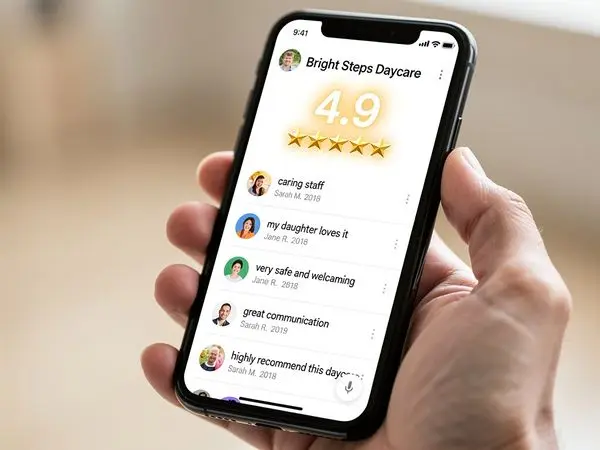
Your website should connect to your active social media presence.
Where to Place Links
- Footer (standard placement, expected)
- Contact page (with handles/usernames)
- About page (follow us for updates)
- Header (optional, if space allows and design permits)
Which Platforms Matter
- Facebook (still the #1 platform for parents—maintain an active page)
- Instagram (if you post regularly—great for visual content)
- Google Business Profile (link directly to leave reviews)
- LinkedIn (optional—for staff recruitment)
What to Avoid
- Linking to inactive accounts (last post 2 years ago looks abandoned)
- Linking to personal accounts (should be business pages)
- Auto-play videos or feeds that slow your site
- Links to platforms you don't actually use
Must-Have #7: FAQ Section

An FAQ section serves two purposes: it helps parents and it improves your SEO.
Top Questions to Answer
Basics:
- What are your hours of operation?
- What ages do you serve?
- Where are you located?
- What are your rates?
Enrollment:
- How do I enroll my child?
- Is there a waitlist?
- What paperwork is required?
- When can I start?
Program:
- What's included in tuition (meals, diapers, etc.)?
- What's your curriculum approach?
- Do you offer part-time or drop-in care?
- What's your potty training policy?
Health & Safety:
- What's your vaccination policy?
- How do you handle sick children?
- What are your security measures?
- What are teacher qualifications?
Logistics:
- What should my child bring each day?
- How do you handle naptime?
- What's your holiday/closure schedule?
- How do you communicate with parents?
FAQ Best Practices
- Write questions the way parents ask them (conversational, not formal)
- Keep answers concise (2-4 sentences, link to details)
- Organize by category (Basics, Enrollment, Program, etc.)
- Update seasonally (especially closure schedules)
- Include a "Can't find your answer?" contact option
Must-Have #8: Testimonials and Reviews
Social proof is essential. Parents trust other parents more than they trust your marketing.
Types of Testimonials
- Text testimonials with parent names (first name and last initial)
- Video testimonials (incredibly powerful, even smartphone quality)
- Google Review widgets (shows real, verifiable reviews)
- Star rating badges ("4.8 stars on Google")
- Before/after stories (worried parent → happy family)
How to Collect Testimonials
- Ask happy parents directly (in person at pickup)
- Send email requests (with a direct link to Google reviews)
- Time it right (ask after positive moments—milestones, anniversaries)
- Make it easy (provide questions to guide them)
- Offer to write it for them (some parents prefer to edit than create)
Where to Display
- Homepage (1-3 featured testimonials above the fold)
- Dedicated reviews page (aggregate all testimonials)
- Near contact forms (reinforces decision at key moment)
- Program-specific pages (relevant testimonials per age group)
- Google Business Profile (drive reviews here for SEO)
Must-Have #9: Pricing Transparency
Hiding your prices doesn't create curiosity—it creates suspicion.
What to Show
Minimum (must have):
- Starting price or range ("Infant care starting at $350/week")
- What's included (meals, snacks, diapers, etc.)
- What's extra (field trips, late fees, registration)
Better:
- Full rate sheet as downloadable PDF
- Age-based pricing table
- Schedule options (full-time, part-time, drop-in rates)
- Sibling discounts
Best:
- Interactive rate calculator
- Instant quote generator
- Tuition comparison with value proposition
Why It Matters
- Parents who can't afford your rates appreciate knowing upfront
- Qualified parents aren't scared off by numbers—they're reassured
- Transparency builds trust before the first conversation
- Saves your staff time (fewer calls just asking about rates)
Must-Have #10: Security and Privacy Features
Parents are increasingly privacy-conscious, especially when it involves their children.
What to Include
- SSL certificate (https:// in your URL—non-negotiable, free via Let's Encrypt)
- Privacy policy (link in footer, required by law in many jurisdictions)
- Secure forms (encrypted submission—your SSL covers this)
- Photo policy (how you use images of children on your site)
- Data handling statement (how you protect family information)
- Cookie notice (if using cookies, required in many regions)
Trust Signals
- Security badges (if you use a secure payment processor like Stripe)
- "Secure form" messaging near contact forms
- Clear explanation of what you do with submitted information
- Professional email (not @gmail.com—use your domain)
Must-Have #11: Clear Navigation
If parents can't find information, it doesn't exist.
Essential Navigation Items
- Home (logo typically links here)
- Programs (by age: Infants, Toddlers, Preschool, School-Age)
- About Us (mission, history, team)
- Gallery/Photos (visual proof)
- Parent Resources (forms, handbook, portal link)
- Contact/Tour (always accessible)
Navigation Best Practices
- Keep it simple (5-7 items maximum)
- Use clear labels ("Programs" not "What We Offer")
- Be consistent (same menu on every page)
- Mobile-friendly (hamburger menu on phones)
- Highlight current page (breadcrumb or visual indicator)
- Include search (if you have many pages)
Must-Have #12: Quality Photos (Real Ones)
Your photos are your most important trust signal.
Photo Requirements
- Real photos (no stock images—ever)
- Updated (within the last year)
- Diverse (represent your community)
- High quality (in focus, well-lit)
- Strategic placement (homepage hero, programs pages, gallery)
Essential Photo Categories
- Classroom spaces (learning centers, circle time areas)
- Outdoor play areas (playground, nature exploration)
- Staff photos (individual and interacting with children)
- Daily activities (meals, naps, art, reading)
- Building exterior (first impression)
- Special events (holidays, graduations, field trips)
See our complete Best Photos guide for detailed instructions.
Must-Have #13: Accessible Design
Your website should work for everyone, including parents with disabilities.
Accessibility Checklist
- [ ] Alt text on all images (describe the image for screen readers)
- [ ] Proper heading structure (H1, H2, H3 in order)
- [ ] Sufficient color contrast (4.5:1 minimum for text)
- [ ] Keyboard navigation support (can tab through the site)
- [ ] Screen reader compatibility (test with VoiceOver or NVDA)
- [ ] Captioned videos (or transcripts available)
- [ ] No autoplay audio (respects user control)
- [ ] Form labels properly associated (not just placeholder text)
Why It Matters
- It's the right thing to do (10-15% of users have some disability)
- It's increasingly required (ADA compliance lawsuits are rising)
- It improves SEO (Google rewards accessible sites)
- It improves usability for everyone (clear structure helps all users)
Must-Have #14: Local SEO Optimization
Parents search for "daycare near me." You want to show up.
Local SEO Essentials
- Google Business Profile (claimed, complete, with photos and reviews)
- NAP consistency (Name, Address, Phone identical everywhere online)
- Location keywords (your city/neighborhood in page titles and content)
- Local content (community involvement, local events, neighborhood info)
- Reviews on Google (quantity and recency matter—ask happy parents)
- Local directory listings (Yelp, Yellow Pages, local parenting sites)
Quick Wins
- Add your city name to your homepage title ("Sunshine Daycare - [Your City], [State]")
- Embed a Google Map on your contact page
- Create a "Serving [Your City] and Surrounding Areas" section
- Get listed in local parenting resource directories
- Partner with local businesses for cross-linking
Must-Have #15: Clear Calls to Action
Every page should guide parents to the next step.
Types of CTAs
- Primary: "Schedule a Tour" (main conversion goal)
- Secondary: "Call Now" or "Contact Us"
- Tertiary: "Learn More" / "View Programs" / "See Photos"
CTA Best Practices
- Use action words (Schedule, Call, Enroll, Visit)
- Make buttons visible (contrasting color, large size)
- Repeat on every page (don't make them scroll back to find it)
- Match the intent (don't ask them to enroll before they've toured)
- Use urgency sparingly ("Schedule Today" can feel pushy)
- Test button copy ("Schedule a Tour" vs "Book a Visit" vs "See Our Center")
CTA Placement
- Header (phone number + "Schedule Tour" button)
- Homepage hero (above the fold)
- After testimonials (strike while trust is high)
- Footer (last chance before they leave)
- Near forms (alternative contact method)
Must-Have #16: Professional Email Addresses
Using @gmail.com or @yahoo.com for your contact email looks unprofessional.
What to Use
- info@yourdaycare.com (general inquiries)
- director@yourdaycare.com (enrollment conversations)
- enroll@yourdaycare.com (tour scheduling)
- admin@yourdaycare.com (billing, paperwork)
How to Set Up
- Purchase your domain (if you haven't already)
- Set up email through your domain registrar or Google Workspace
- Create aliases that forward to your main account
- Update your website contact info
- Update your email signature
Must-Have #17: About Us Page With Personality
Your About page shouldn't be a generic corporate bio. It should tell your story.
What to Include
- Your mission (why you exist, not just what you do)
- Your history (when founded, how you've grown)
- Your philosophy (play-based, academic, Montessori-inspired, etc.)
- Your team (director bio, key staff highlights)
- Your community involvement (local partnerships, charity work)
- What makes you different (your unique value proposition)
Tone
- Warm and welcoming (not corporate or stiff)
- Parent-focused (how you serve families, not just your accomplishments)
- Authentic (real stories, not marketing speak)
- Professional but approachable
Must-Have #18: Programs Pages by Age
Parents with infants don't want to read about after-school care. Create separate pages for each age group.
Typical Programs Structure
- Infants (6 weeks - 12 months)
- Toddlers (1-2 years)
- Preschool (3-4 years)
- Pre-K (4-5 years)
- School-Age / After-School (5-12 years)
What Each Page Should Include
- Age range served
- Teacher-to-child ratio
- Daily schedule/routine
- Curriculum focus for that age
- Photos of that age group
- Teacher bios (who works with this age)
- Testimonials from parents of that age group
Must-Have #19: Blog or Resources Section
A blog establishes expertise and improves SEO—but only if you maintain it.
Blog Topics That Work
- Child development tips (milestones, activities at home)
- Parenting advice (separation anxiety, potty training, sleep)
- Center updates (new programs, staff spotlights, events)
- Seasonal content (summer activities, back-to-school tips)
- Community involvement (local events, partnerships)
Blog Best Practices
- Post at least monthly (abandoned blogs look worse than none)
- Keep posts helpful (not just promotional)
- Include photos (more engaging)
- Share on social media (extend reach)
- Optimize for local SEO (include city/neighborhood keywords)
Alternative: Resources Section
If you can't maintain a blog, create a static Resources page with:
- Helpful downloadable guides
- Links to trusted parenting resources
- Your center's handbook (downloadable)
- Activity ideas for families
Must-Have #20: Analytics and Tracking
You can't improve what you don't measure.
What to Track
- Visitors (how many people visit your site)
- Traffic sources (how they find you—Google, social, direct)
- Popular pages (what content resonates)
- Bounce rate (how many leave after one page)
- Conversion rate (how many visitors schedule tours)
- Mobile vs desktop (what devices they use)
Tools to Use
- Google Analytics (free, comprehensive)
- Google Search Console (SEO performance)
- Hotjar (heat maps, user recordings—paid but valuable)
What to Do With Data
- Identify problems (high bounce rate on a page = fix that page)
- Double down on what works (popular content = create more like it)
- Test changes (change one thing, measure impact)
- Report monthly (track trends over time)
The Complete 2026 Checklist
Use this checklist to audit your current site:
Essentials (Must Have)
- [ ] Mobile-first design (passes mobile-friendly test)
- [ ] Load speed under 2.5 seconds
- [ ] Simple contact form (3-4 fields)
- [ ] Online tour scheduling
- [ ] Click-to-call phone number
- [ ] SSL certificate (https://)
- [ ] Clear navigation (5-7 items)
- [ ] Real photos (updated within year)
- [ ] Clear CTAs on every page
Important (Should Have)
- [ ] Parent portal link
- [ ] Social media links in footer
- [ ] FAQ section (10+ questions)
- [ ] Testimonials page
- [ ] Pricing information
- [ ] Privacy policy
- [ ] Google Business Profile linked
- [ ] Professional email addresses
Nice to Have (Competitive Edge)
- [ ] Blog with helpful content
- [ ] Video tour of your center
- [ ] Virtual tour option
- [ ] Multiple language support
- [ ] Live chat or chatbot
- [ ] Accessibility certification
- [ ] Analytics tracking
FAQ: Website Questions
How much should a daycare website cost?
DIY (Wix, Squarespace): $15-40/month + your time Freelancer: $1,500-3,500 one-time + hosting Professional agency: $3,000-10,000 one-time + hosting/maintenance Ongoing costs: $20-100/month for hosting, domain, and updates
How often should I update my website?
- Monthly: Check for broken links, outdated info
- Quarterly: Update photos, refresh content
- Annually: Full audit, design refresh if needed
Do I need a professional to build my site?
Not necessarily. If you're comfortable with technology and have time, DIY platforms work well. If you want it done right, quickly, and with best practices built in, hire a professional who specializes in daycare websites.
What about SEO—can I do it myself?
Basic SEO (title tags, local keywords, Google Business Profile): DIY-friendly Technical SEO (site speed, structured data, indexing): Often needs professional help Link building (getting other sites to link to you): Time-intensive, often outsourced
Should I have a blog?
Only if you'll maintain it. A blog with 1-2 posts per month improves SEO and establishes expertise. An abandoned blog (last post 2+ years ago) looks worse than no blog at all.
How do I get more Google reviews?
- Ask happy parents directly (in person at pickup)
- Send follow-up emails with direct links
- Make it part of your enrollment anniversary process
- Respond to all reviews (positive and negative)
- Never incentivize or buy reviews (against Google's terms)
Conclusion: Your Website Is Your 24/7 Representative
Your website works around the clock—showing your center to parents at 11 PM when they finally have time to research childcare options.
In 2026, that website needs to be:
- Fast (no waiting)
- Mobile-first (phones are primary)
- Trustworthy (real photos, real reviews)
- Action-oriented (easy to schedule, easy to contact)
- Professional (consistent branding, proper email)
- Helpful (FAQs, resources, clear information)
The centers that invest in their websites will capture the parents who research online—which is most of them.
---
Ready to Upgrade Your Website?
At Valley Daycare Sites, we build websites specifically for childcare centers. We know the 2026 must-haves, and we know what converts visitors into enrollments.
Get your free sample homepage at valleydaycaresites.com
Because your center deserves a website that works as hard as you do.
Ready to Transform Your Daycare Website?
Get a free sample homepage designed specifically for your daycare. No upfront cost, no pressure.
Get Your Free Sample